All-in-One Workspace Instead of Duct-Taped Tools: A Closer Look at Afina Browser
If you run multi-account operations – whether in affiliate marketing, crypto, SMM, or web scraping – your desktop probably looks like a mission control center. You have an antidetect browser in one window, an external automation tool running next to it, spreadsheets full of proxies, and a separate tab just to manually pull verification codes from your inbox.
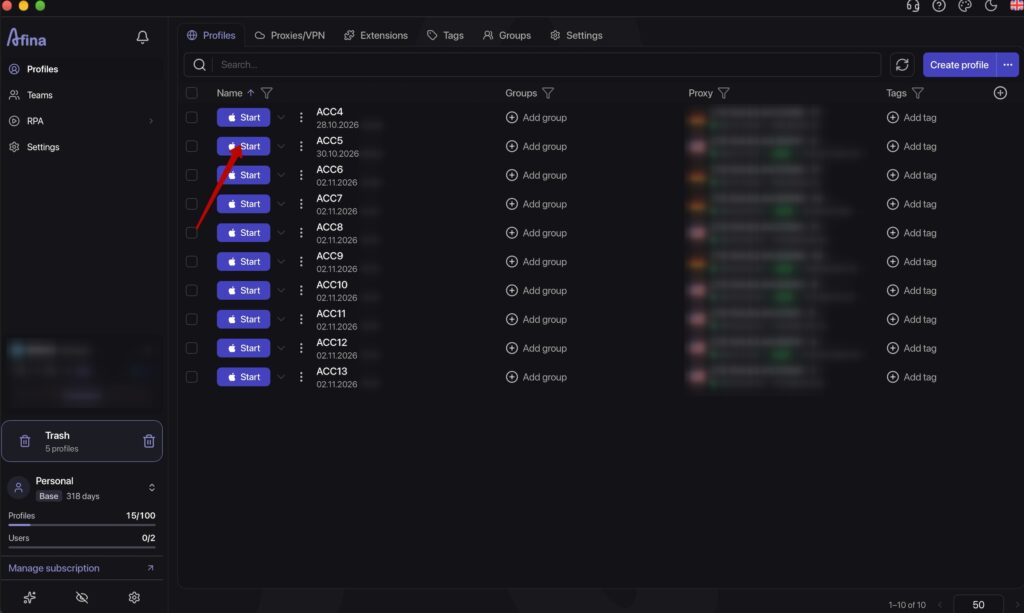
Afina Browser takes an all-in-one approach to fix that workflow. It is a desktop antidetect browser built on Chromium (for Windows and macOS) that packs a visual no-code automation builder, an action synchronizer, an IMAP client, and team collaboration into a single application. Here is a breakdown of what is under the hood and how it handles anti-fraud systems.
Chromium-Level Fingerprints and the “1 of 4” Rule
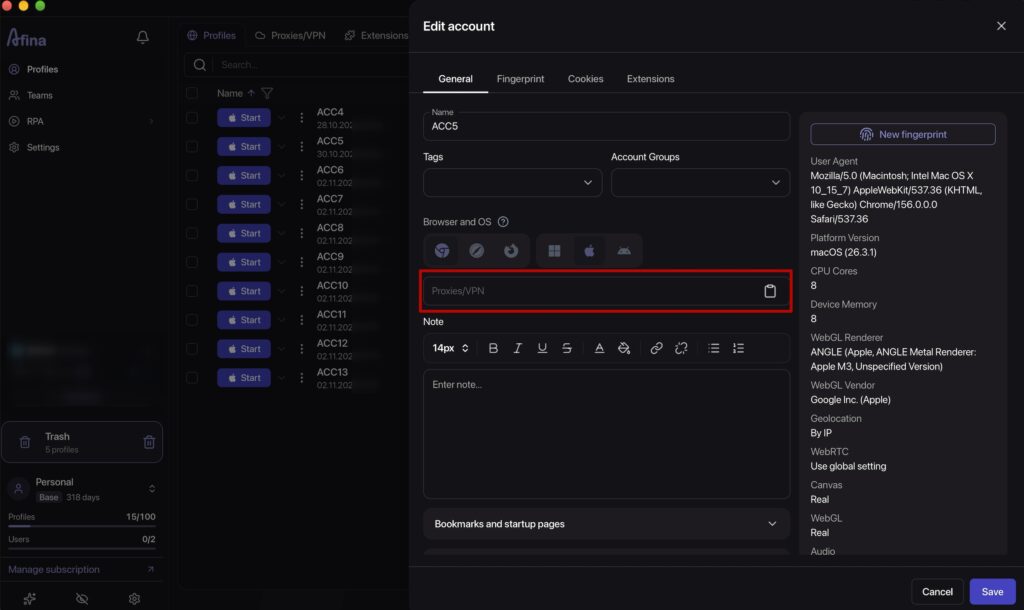
A common weak spot in many antidetect browsers is relying on injected JavaScript to spoof browser fingerprints – a trick modern anti-fraud systems have gotten very good at catching. Afina pulls its fingerprints from a library of real devices and applies them directly at the Chromium code level. You get full control over Canvas, WebGL, Audio, screen resolution, media devices, time zone, RAM, and CPU core count.
A particularly smart detail is the “1 of 4” rule. By default, Afina keeps your Canvas fingerprint completely real and applies noise to at most one of three parameters: WebGL, Audio, or Rects. When a browser spoofs and adds noise to everything simultaneously, it stands out as a statistical anomaly. Selective spoofing keeps the profile looking like a regular consumer machine.
Each account is strictly isolated: every profile launches as a separate Chromium process with its own dedicated folder on disk, meaning cookies, localStorage, IndexedDB, and cache never bleed into neighboring sessions. When you need to scale up, you can bulk-create up to 1,000 profiles at once via a form or an Excel template, with User-Agents and proxies assigned automatically.
Leak-Free Networking: Native UDP and Killswitch
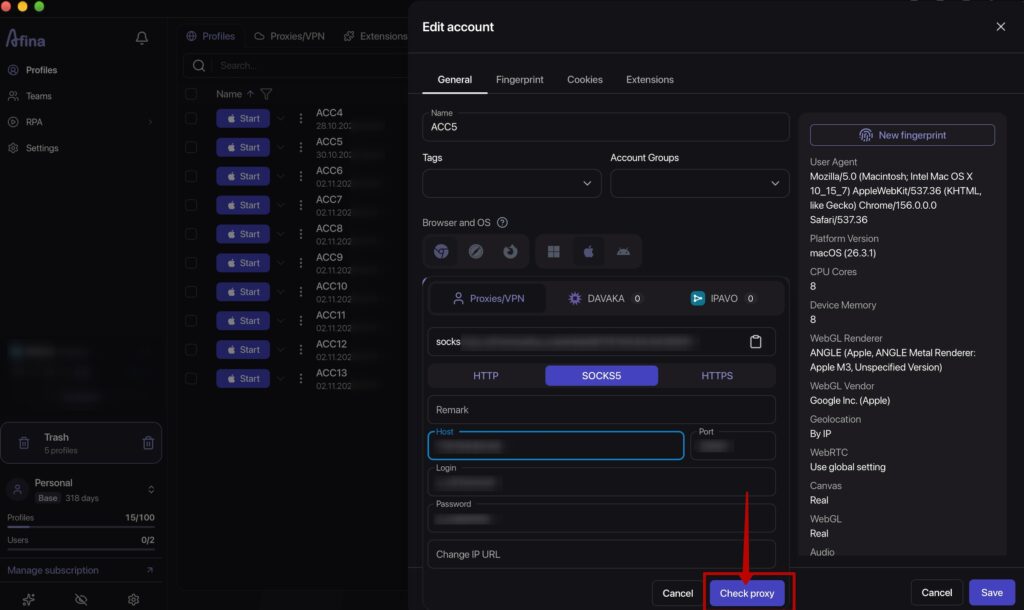
Afina works out of the box with proxies from any provider over HTTP, HTTPS, or SOCKS5 – including rotating proxies with a change-IP link and bulk Excel imports. More importantly, the network layer is built to prevent accidental leaks:
- Native UDP routing over SOCKS5. All QUIC, HTTP/3, and WebTransport traffic stays strictly inside the proxy tunnel. Your public WebRTC address matches your proxy IP, so your real address never shows up on leak tests.
- Pre-launch IP checks and a Killswitch. Before a profile even starts, Afina checks the IP reputation. If a proxy drops mid-session or suddenly shifts geolocation, the killswitch immediately halts the profile to keep the account safe.
Built-In No-Code Automation (Plus Code When You Need It)
Instead of forcing you to wire up third-party recorders, automation is built right into the browser interface. Using the visual canvas, you can string together clicks, navigation, waits, conditions, and variables, and debug workflows step-by-step.
Tasks can run in three distinct modes:
- Default – a standard visible browser window when you want to watch the workflow run.
- Headless – runs quietly in the background without a UI to save system resources.
- No Browser – skips launching a page entirely, built specifically for lightweight API calls or on-chain crypto tasks.
If your team outgrows the visual builder, you can write JS modules with npm dependencies – and every script is signed with an Ed25519 key so tampered code on disk cannot execute unnoticed. For manual routines, the built-in synchronizer mirrors your mouse clicks and keystrokes from one main window across up to fifty open profiles at once.
Quality-of-life extras round out the toolkit: a built-in IMAP client automatically grabs verification codes from Gmail, iCloud, or Outlook, while built-in data tools let you store and read data directly from SQLite, Google Sheets, or per-account storage.
Zero-Knowledge Security Architecture
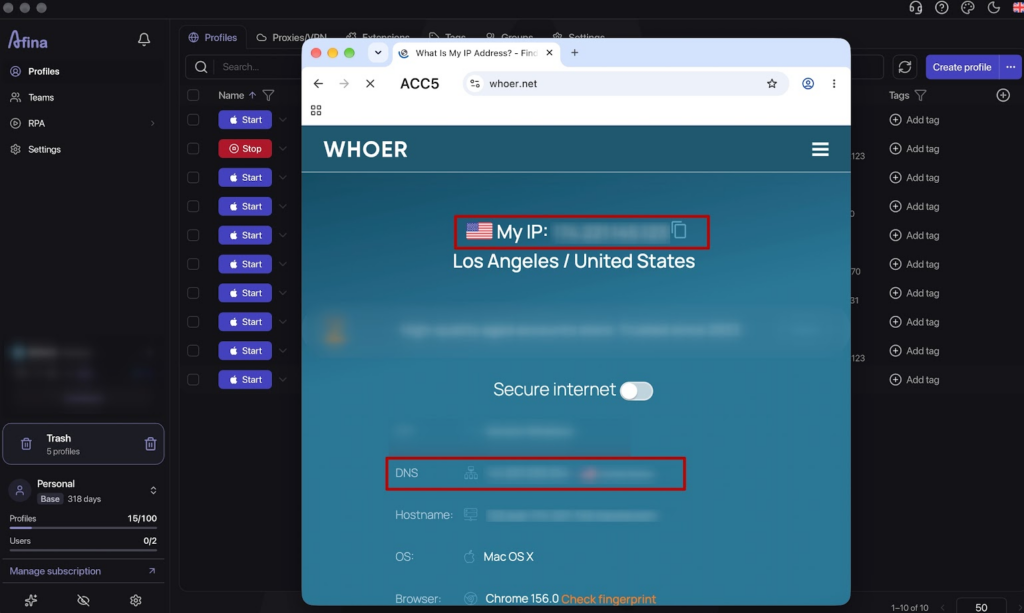
For teams and anyone handling sensitive credentials, security is usually the dealbreaker. Afina runs on a zero-knowledge model: profiles, passwords, 2FA secrets, and private keys are encrypted locally on your machine using AES-256. Because the encryption keys never leave your device, Afina’s servers cannot read your data even in theory – meaning a seed phrase saved in an account variable stays completely private, even when syncing across a team.
Team Collaboration and Developer API
Team owners can create worker seats, assign granular roles, and restrict who is allowed to launch, delete, or transfer profiles. Permission and profile updates sync across team devices within roughly 30 seconds, and you can hand off a profile to a teammate by email with its cookies and proxy intact – making shift handovers seamless.
For developers and large-scale operations, Afina includes two standout features:
- Local REST API (running on port
50778with 79 endpoints) that mirrors everything available in the UI. There are no cloud quotas, request caps, or token fees, keeping high-volume scripting completely predictable. - Direct Chrome DevTools Protocol (CDP) access via a
wsEndpoint, letting you plug your existing Puppeteer, Playwright, or Selenium scripts straight into running profiles without rewriting your codebase.
If you are migrating from another setup, Afina also supports one-time profile and cookie imports directly from AdsPower, Dolphin Anty, and Vision.
Special Offer & Bonuses
Ready to streamline your multi-accounting setup? Use our exclusive promo code SALE20 to get 20% off your first Base, Standard, or Max subscription. Plus, every new account gets 1 free day of access to test the platform, and once you’re inside, the dashboard includes a referral program offering 15% on first-level and 5% on second-level referrals.
Explore the platform, check out the downloads for Windows and macOS, and grab your trial via the official Afina website: