GeeLark Cloud Phone: A Practical Way to Manage Multiple Accounts
Managing multiple accounts across mobile apps gets harder as your operations grow. Each app can track signals like device data, network settings, app activity, and user behavior, so simply switching between accounts or devices is not always enough.
GeeLark solves this with cloud phones. Instead of buying physical phones or running local Android emulators, you can create separate Android cloud phone profiles and manage them from one workspace.
In this post, we’ll explore what GeeLark is, its key features, and the main use cases it supports.
What is GeeLark?
GeeLark is a cloud phone platform that helps you manage multiple mobile app accounts from a computer.
Instead of buying and maintaining dozens or even hundreds of physical Android phones, you can create cloud phone profiles in GeeLark and control them remotely.
Each cloud phone works like a separate Android environment, so you can install apps and manage accounts on mobile-first platforms such as TikTok, Instagram, Reddit, and more.
GeeLark also includes an antidetect browser. This means you can manage both mobile app accounts and browser-based accounts from the same platform, without switching between different tools.
GeeLark’s Highlighted Features
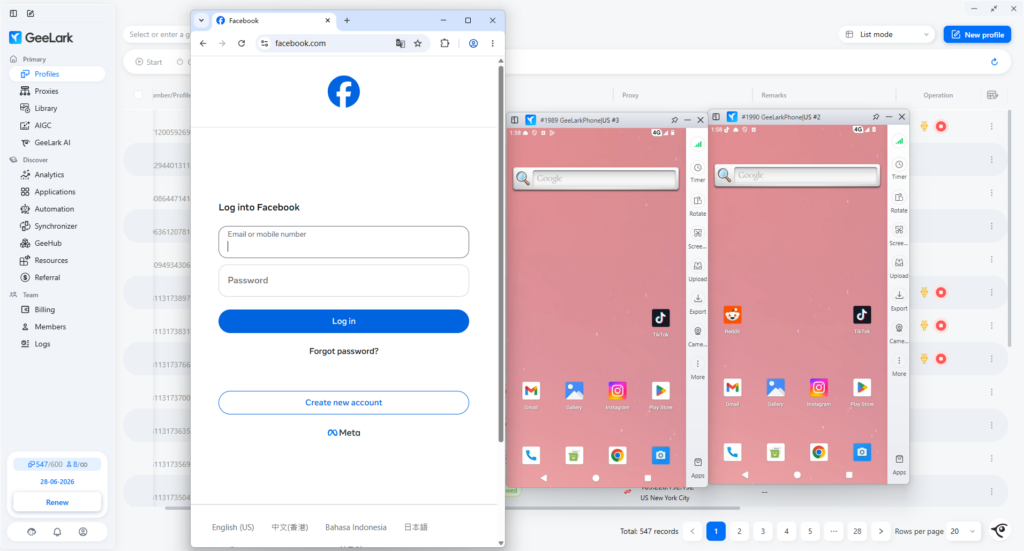
Cloud Phones
GeeLark cloud phones are Android devices hosted in the cloud. Each cloud phone runs on ARM-based mobile hardware, which is closer to how a real smartphone works than a typical Android emulator running on an x86 computer.
This matters because many mobile apps are designed to read signals from the device they run on. That can include hardware details, system information, app data, location signals, and network settings.
With GeeLark, each cloud phone works as a separate Android environment. This makes it easier to manage multiple accounts without buying and maintaining a separate physical phone for each one.
Here’s why cloud phones are useful for this:
- Separate device profiles: Each cloud phone can have its own device information, such as IMEI, MAC address, phone brand, and model.
- Isolated app data: App cache, login sessions, cookies, and local files are stored inside each cloud phone. Data from one profile does not mix with another.
- Android app compatibility: GeeLark supports multiple Android versions (Android 9~16), so teams can choose environments that fit different apps and workflows.
- Less hardware maintenance: There is no need to buy, charge, cool, repair, cable, or store dozens of physical phones.
Browser Profiles
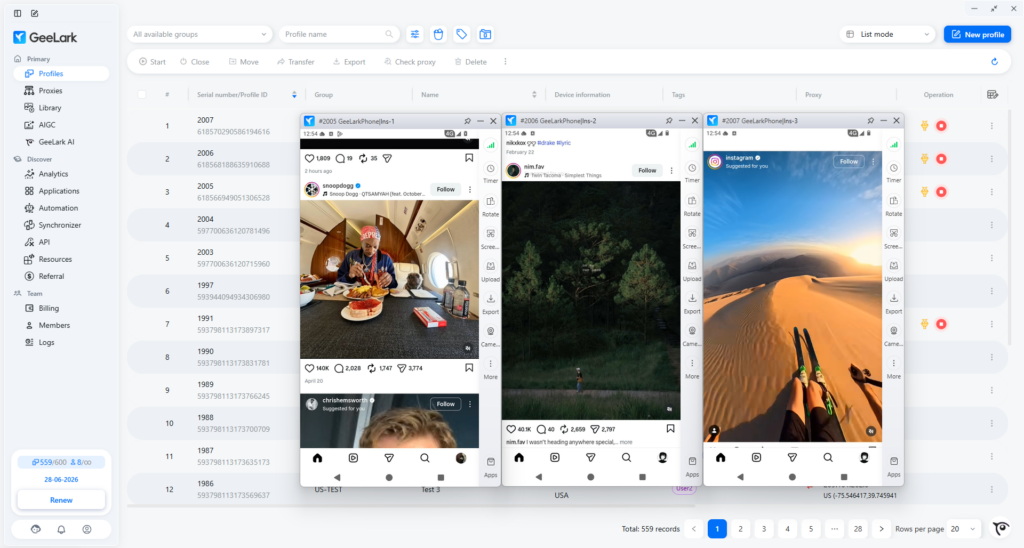
When you manage multiple accounts, not every task happens inside a mobile app. Some workflows still need a browser, such as managing Facebook Ads Manager, checking ecommerce dashboards, filling out web forms, or handling other desktop-based tasks.
To keep these browser-based accounts separated, GeeLark also provides an antidetect browser.
Each browser profile works as an independent environment, with its own cookies, cache, fingerprint, and network settings. This helps reduce the risk of accounts being linked together because of shared browser data or repeated logins from the same environment.
GeeLark AI
GeeLark AI is designed to support two parts of the mobile content workflow: getting help inside the product and creating content assets for social media publishing.
First, GeeLark includes an AI chat assistant powered by DeepSeek. Users can ask questions about how to use GeeLark, troubleshoot workflows, or get general help without leaving the workspace.
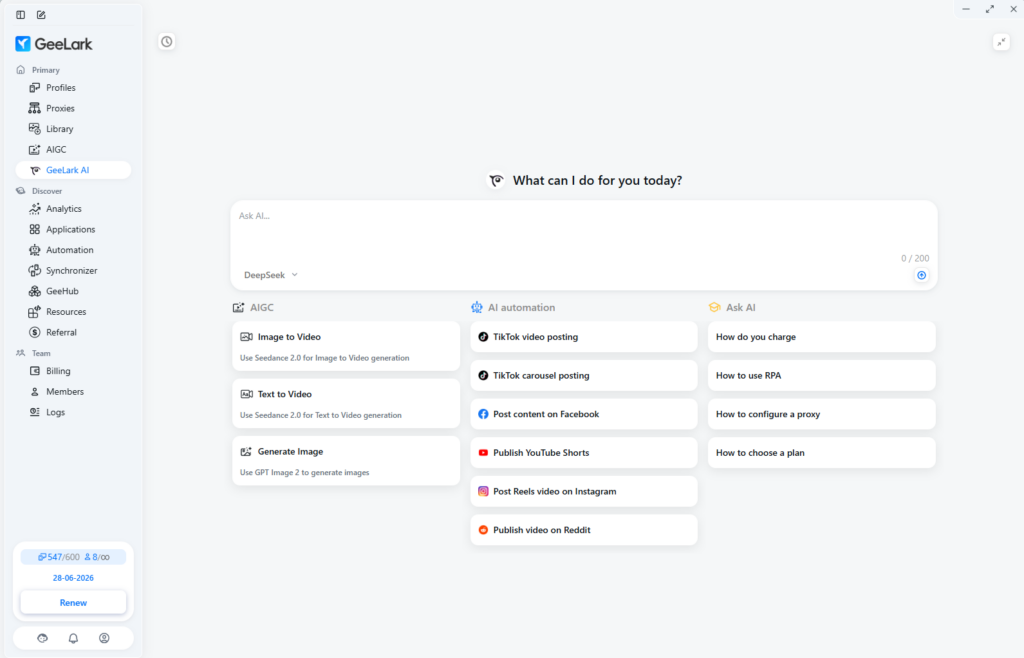
Another important part of GeeLark is its AIGC toolkit. It brings image generator, text-to-video, image-to-video, and AI video editing into one workspace.
Any visuals you create with these AI tools are automatically saved to the GeeLark Library, where they can be reused in automated video posting tasks.
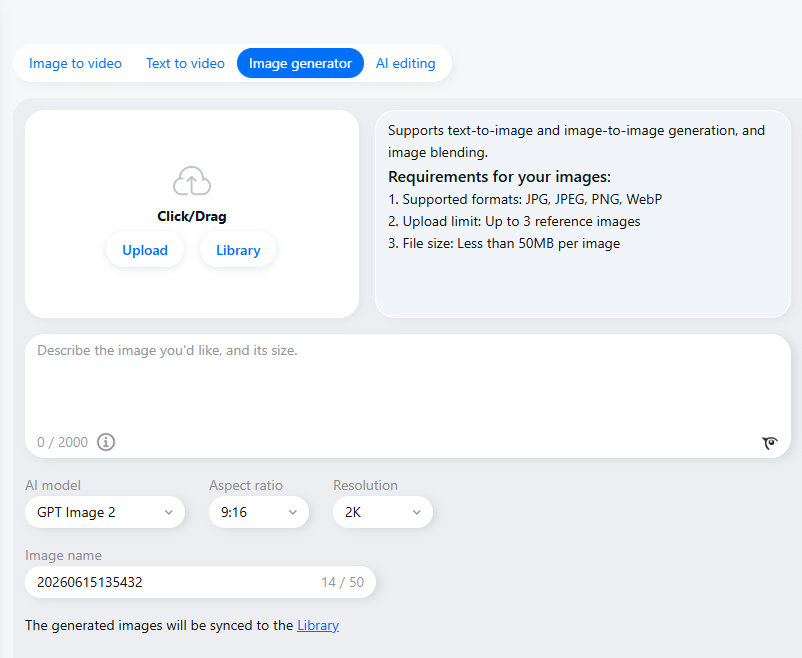
With the Image Generator, you can create images from text prompts, generate new visuals from reference images, or blend multiple images together. It supports several AI image models, including GPT Image 2, Kling 3.0, Nano Banana Pro, Seedream 5.0 Lite, and Seedream 4.0.
For video creation, GeeLark supports both Text to Video and Image to Video. You can describe a video with a prompt, or upload reference materials to guide the result.
The current model list includes Seedance 2.0, Seedance 2.0 fast, Kling 3.0, Veo 3.1, Seedance 1.5 Pro, Kling 2.5, and Hailuo 2.3. Depending on the selected model, you can adjust settings such as aspect ratio, resolution, duration, sound generation, and web search.
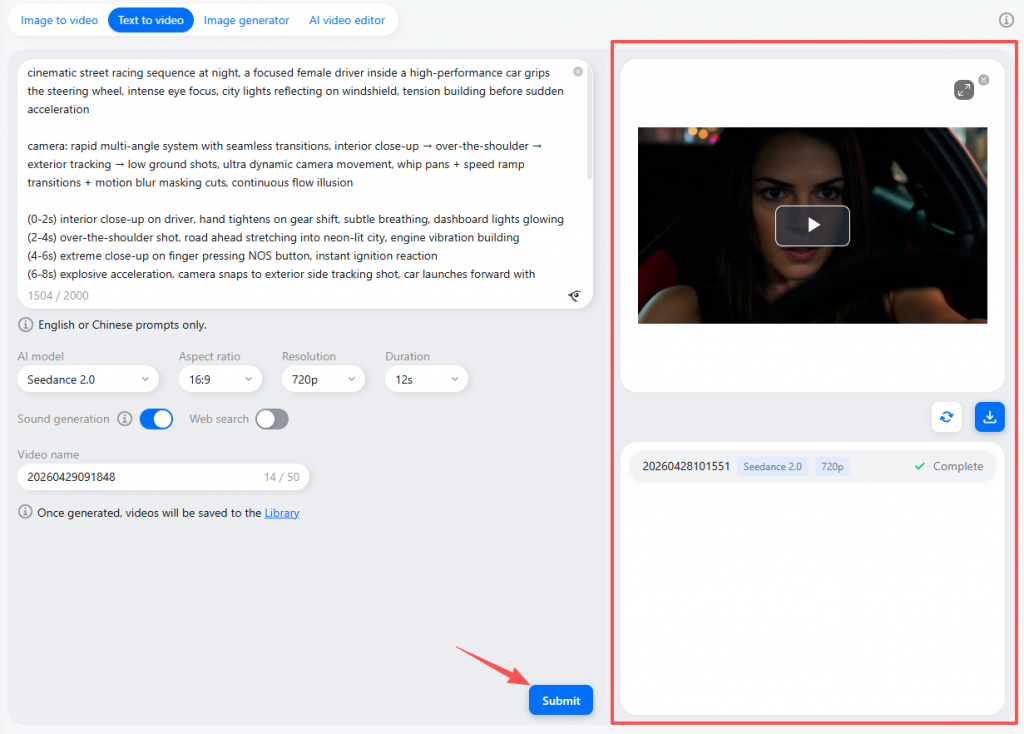
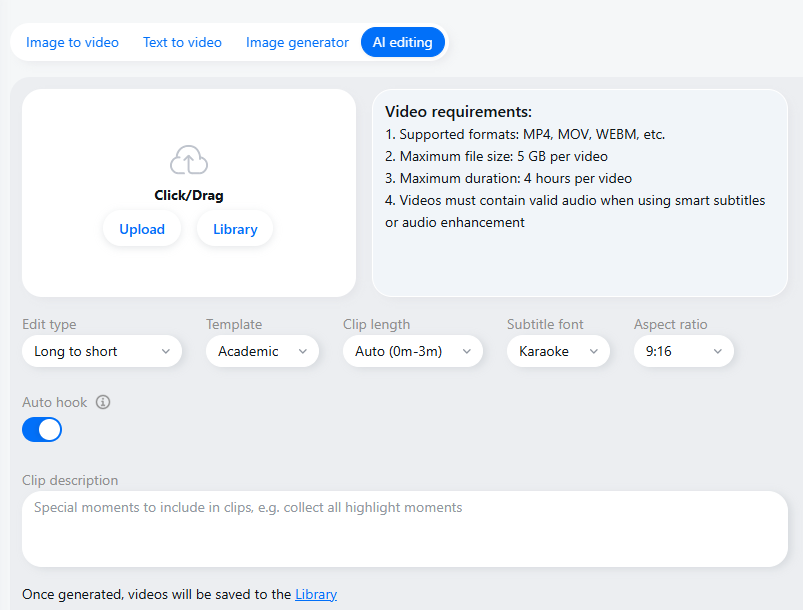
GeeLark also includes AI editing for turning longer videos into shorter clips.
Users can upload videos, choose an editing type such as long-to-short, select a template, set clip length, subtitle style, aspect ratio, and add a short description of the moments they want the AI to keep.
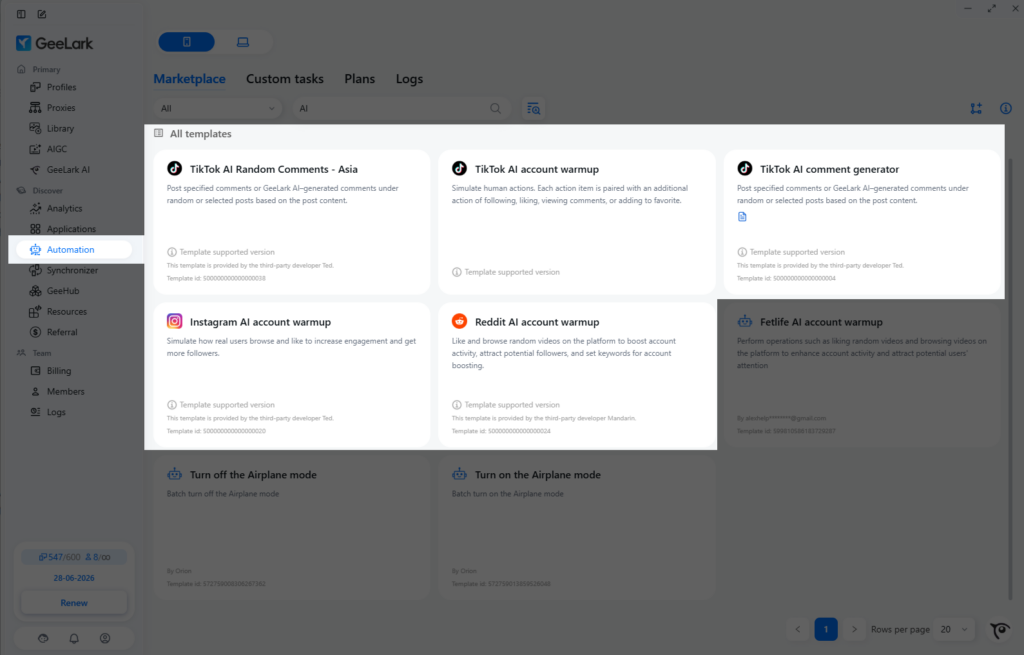
Some automation templates are also powered by AI, streamlining your automation workflows.
Synchronizer
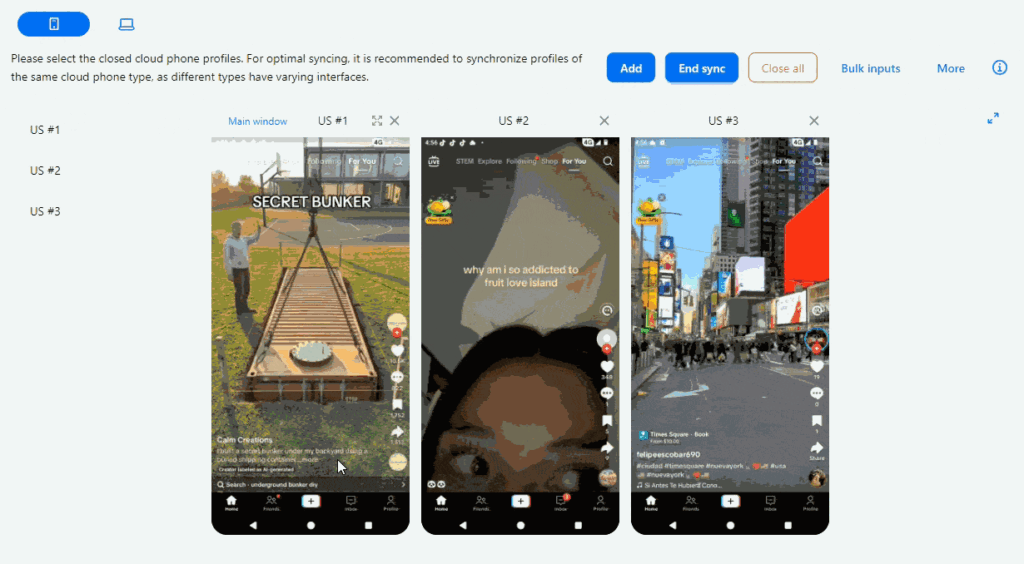
Synchronizer is a multi-window tool that lets you control multiple cloud phones or browser windows at the same time.
An action performed in the main window can be copied to connected profiles, which helps reduce repetitive manual work.
Automation Templates and RPA Builder
GeeLark provides ready-made automation templates for popular platforms such as TikTok, Instagram, and Facebook. These templates can control cloud phones automatically to handle tasks like account login, content posting, and account engagement, including likes, follows, and comments.
Because these tasks run in the cloud, you do not need to keep GeeLark open on your computer. Once a task starts, it can keep running even if your device is turned off, making it suitable for 24/7 automation workflows.
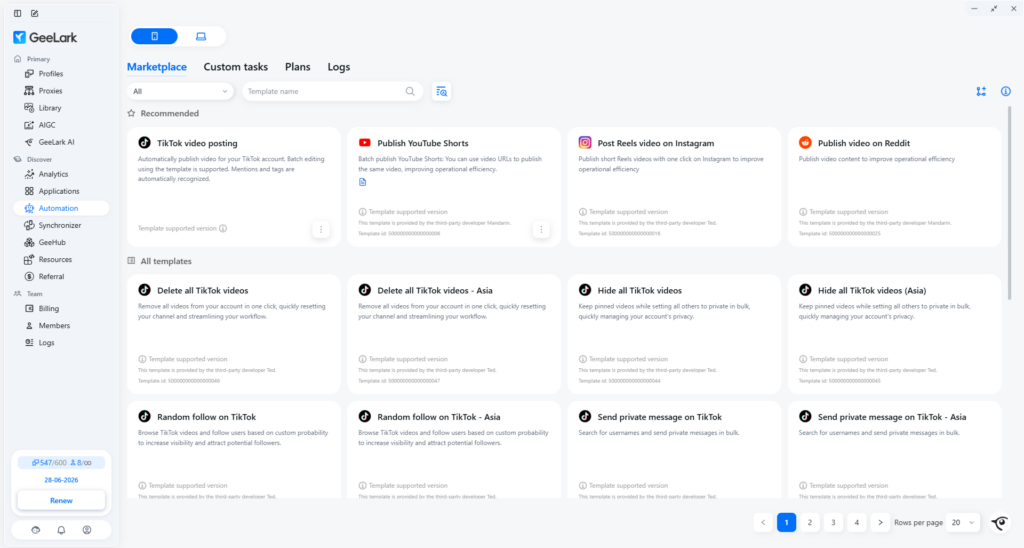
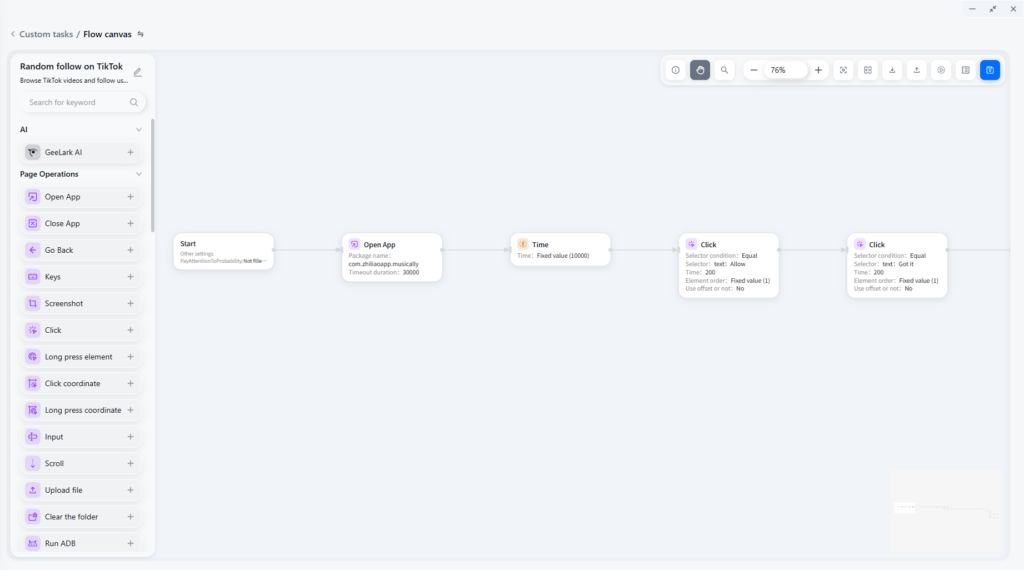
GeeLark also includes a no-code automation builder called RPA Builder. Similar to tools like n8n, it lets you build more complex workflows by connecting prebuilt modules step by step.
With RPA Builder, you can create custom automation flows for specific use cases. These workflows can run on both cloud phones and browser profiles, so teams can automate mobile app tasks and browser-based tasks from the same platform.
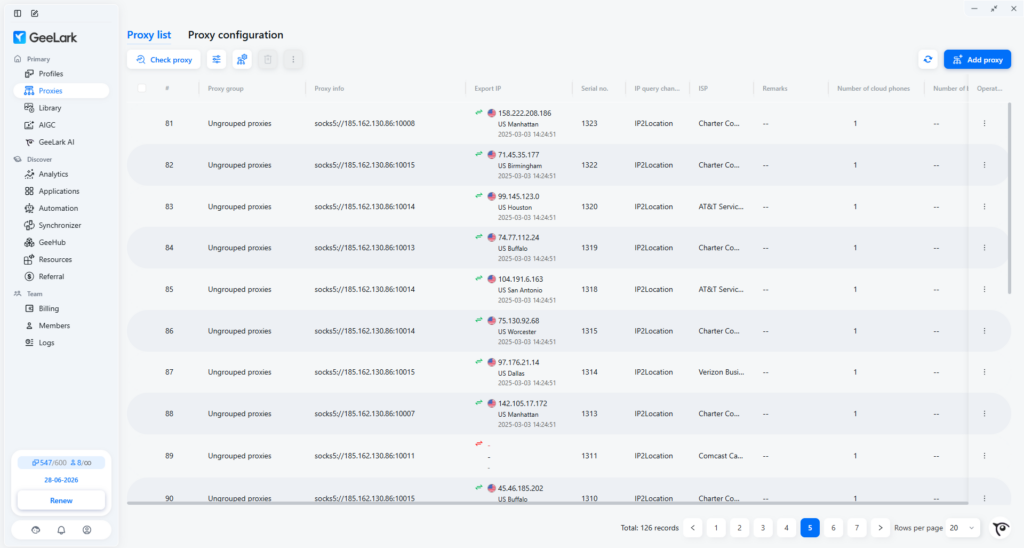
Proxy Management
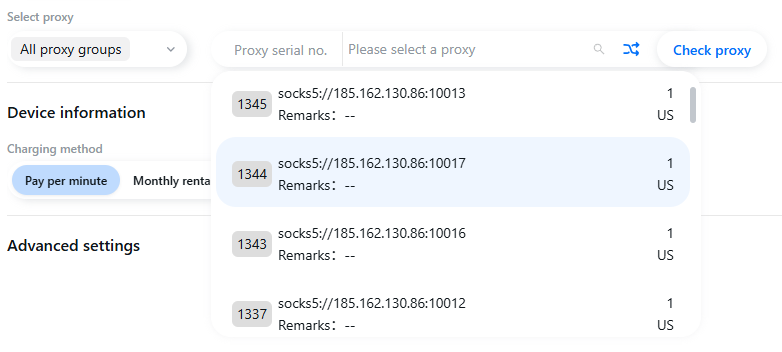
GeeLark makes it easy to manage your proxies. You can create your own list by importing all the proxies you need, keeping them in one central place.
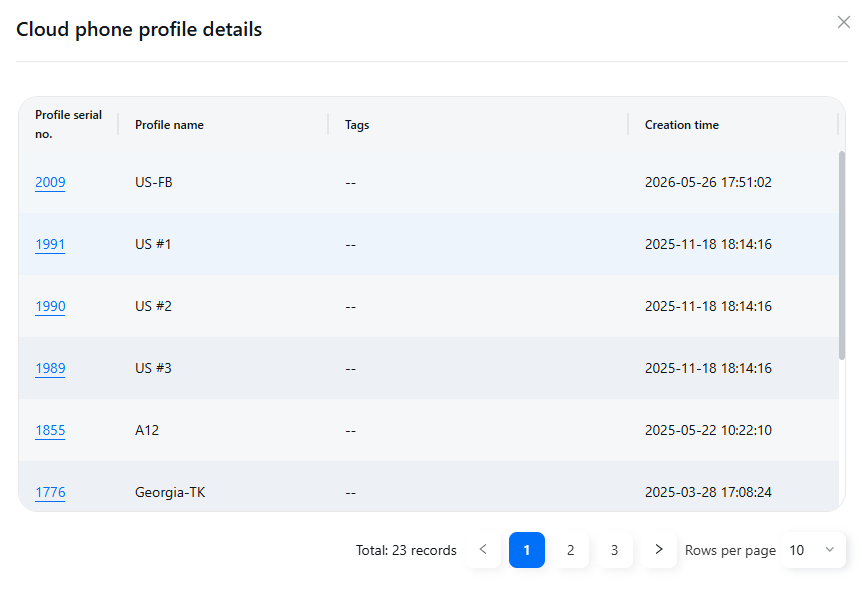
On the other hand, you can also see which cloud phone profiles are using each proxy. This makes it easier to spot overuse and make sure the same proxy is not assigned to too many accounts.
Then, when creating a new profile, you can simply choose a proxy directly from your list, instead of having to manually enter the credentials every single time.
Team Collaboration
When multiple people manage the same set of accounts, access control becomes just as important as the cloud phone environment itself.
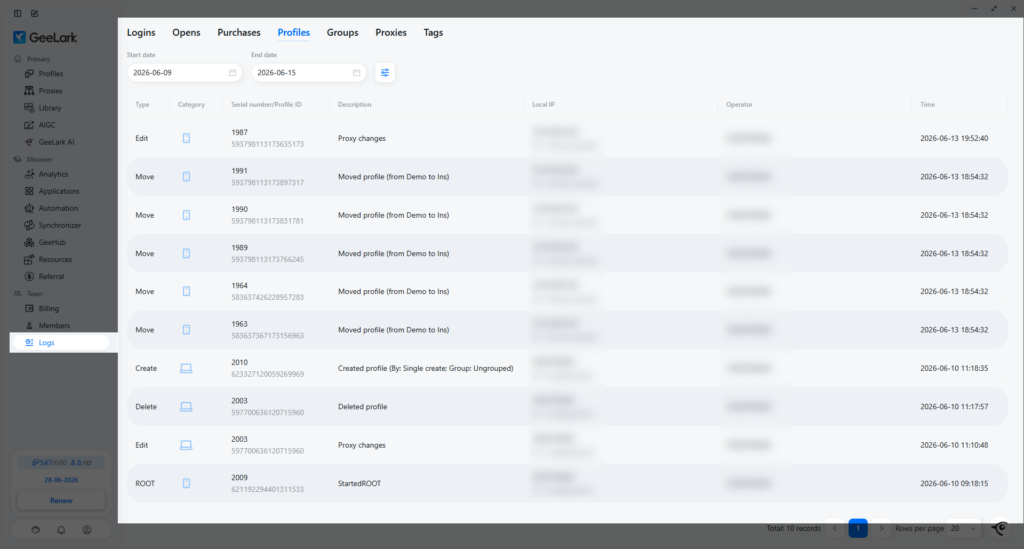
GeeLark supports team collaboration features such as custom access levels, role-based permissions, profile sharing, and operation logs.
The managers can control which profiles and features team members can access, including automation and API tools. It also records actions such as logging in, opening, editing, deleting, or transferring profiles.
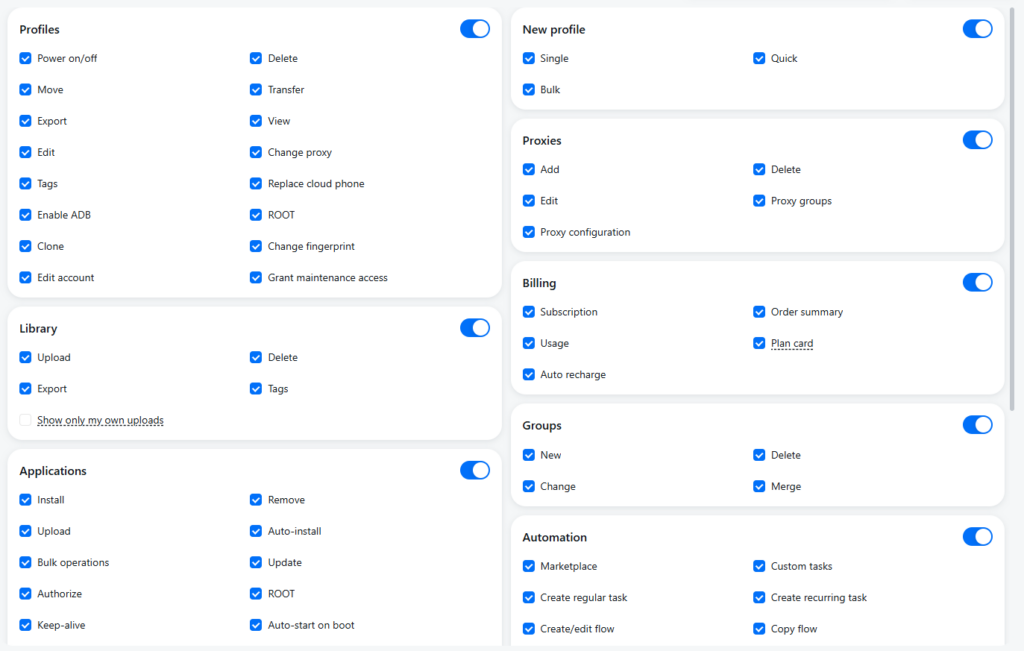
This is especially useful for agencies, social media teams, e-commerce teams, and operations teams where account access needs to be shared without losing control.
Instead of sharing passwords, spreadsheets, and device access informally, teams can use roles, groups, and logs to make the workflow more organized and accountable.
What can you use GeeLark for?
GeeLark is most useful when teams need to manage multiple mobile app accounts with separate environments, proxies, automation, and team access.
Here are some common use cases.
Social Media Management
Many social platforms are mobile-first. TikTok, Instagram, YouTube Shorts, Facebook, Reddit, and similar platforms often require teams to work inside mobile apps for posting, engagement, account setup, content review, and region-specific testing.
GeeLark cloud phones allow social media teams to manage multiple mobile profiles without maintaining a physical phone for every account. This can help with:
- Managing different accounts by client, brand, or region
- Running mobile apps in separate environments
- Assigning proxies to specific profiles
- Using automation for repeatable tasks
- Giving team members controlled access to the profiles they need
For social media teams, GeeLark’s main value is not simply “multi-accounting.” It is the ability to organize mobile account operations in a more scalable workspace.
Affiliate Marketing and Ad Verification
Affiliate marketers and ad verification teams often need to check how mobile pages, app flows, ads, or offers appear in different environments.
Cloud phones can help these teams test mobile experiences more efficiently. For example, a team may need to check whether a campaign opens correctly in a mobile app, whether a landing page behaves differently by region, or whether an offer appears correctly through a specific network setup.
App Testing
App developers need to ensure their apps work well on many devices, but can’t always test on each one. Using GeeLark lets them see how the app performs on different devices and conditions, giving quick feedback on user experience and performance, and identifying issues before launch.
Airdrop farming
Many crypto airdrops today require mobile app actions. GeeLark’s cloud phones serve as dedicated devices that keep your online identities separate. This increases your chances of participating in airdrops and boosts your odds of winning.
Mobile Gaming
Using cloud phones for gaming can help you avoid the cost of buying multiple physical devices. They are also well suited for AFK games or tasks that need to keep running for long periods.
With custom scripts, you can automate simple in-game actions, keep accounts active, and scale certain repetitive tasks more efficiently.
FAQ
What is a cloud phone?
A cloud phone is an Android phone environment hosted in the cloud and accessed remotely from a computer. It can run mobile apps, store app data, and support mobile workflows without requiring a separate physical device for every account.
What is a cloud phone used for?
As the number of mobile users worldwide continues to grow dramatically, mobile platforms like apps and websites are becoming more crucial than ever as traffic sources. If you’re managing multiple accounts in mobile apps to capture this mobile traffic, cloud phones are incredibly helpful.
They can be controlled from a single dashboard and are always accessible, eliminating the need to buy and maintain physical phones. You can easily set up proxies on cloud phones and automate any actions on them. With GeeLark’s AI tools, content creation becomes even easier, maximizing your multi-accounting performance.
Is GeeLark an Android emulator?
No. GeeLark cloud phones are built on ARM-based chips and mobile-grade motherboards, similar to the hardware used in real smartphones. This allows them to run a native Android system instead of emulating Android on an x86-based computer.
Traditional emulators may expose emulator-like signals that mobile-first platforms can recognize, which is not ideal for valuable accounts or long-term operations.
An antidetect browser can simulate the Android and iOS browser environments. Does it work the same as an antidetect phone?
Absolutely not. When an antidetect browser emulates an Android or iOS browser, it simply allows you to perform tasks within the mobile browser, similar to using Safari, Chrome, or any other browser on your phone. In contrast, an antidetect phone goes beyond this by emulating the entire phone environment. This allows you to run apps, record videos, take screenshots, and use the mobile browser, making it indistinguishable from a real phone.
Can GeeLark replace physical phones?
GeeLark can reduce the need for many physical phones in some mobile app workflows. However, it does not replace every physical phone use case, especially workflows that require phone calls or iOS devices.